Use less ink and toner
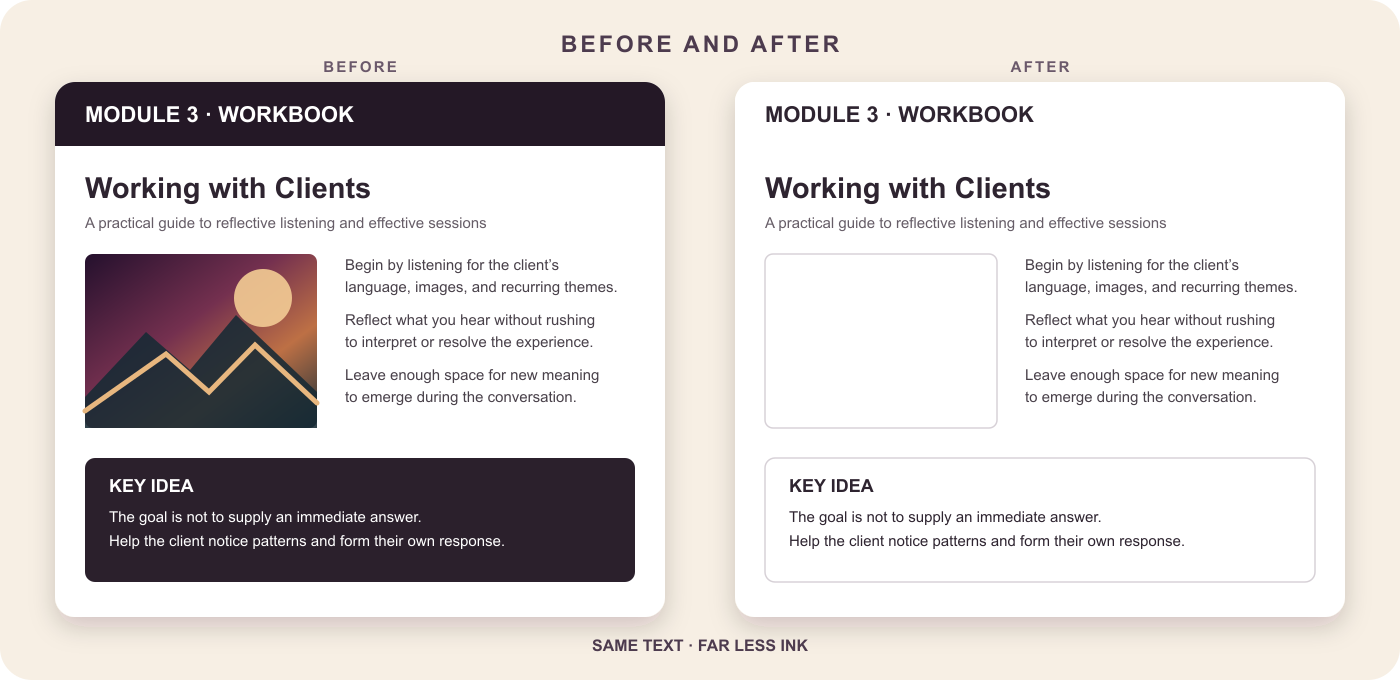
Lighten dark and colored panels instead of reproducing every heavy fill.
PRINTER-FRIENDLY PDF CONVERTER
Print less ink. Keep what matters.
Turn dark, color-heavy PDFs into cleaner print copies in minutes. PrintLight automatically lightens ink-heavy panels, can omit large photos, and keeps text and useful detail visible.
PDF files only · Multiple files · Up to 250 MB each · Temporary processing
A smarter print copy
Ordinary grayscale conversion still prints every photo, dark banner, and colored box. PrintLight treats large artwork and heavy panels differently from text, logos, diagrams, and other useful content—so the result is easier on your printer without becoming hard to use.
Lighten dark and colored panels instead of reproducing every heavy fill.
Text and vector content are retained where possible, while small logos and diagrams are protected.
Upload several PDFs, apply one set of choices, and download the results together.
Simple by default
Choose one PDF or a batch. Each file can be up to 250 MB.
Automatic cleanup lightens ink-heavy panels. Keep the default choices or make optional adjustments for unusual documents and scans.
Compare the original with the PrintLight version, switch between documents and pages, then download your finished PDFs.
Automatic when it can be. Adjustable when it should be.
Most files can use the automatic settings. When a scan or unusual layout needs help, the controls explain what to change and when.
Made for documents that were designed for screens
PrintLight for workflows
If your team repeatedly receives, prepares, or prints PDFs, SuperTool can scope a PrintLight workflow for your business. Send PDFs from a shared folder, inbox, document system, or application; receive printer-friendly copies back where your team already works.
Tell us what you need. We’ll review the workflow, expected volume, and security requirements, then propose scope and pricing.
Request Scope & PricingQuestions before you upload?
PrintLight is designed to retain text and vector content where possible. It treats large artwork and filled panels separately, but every PDF is different, so review the side-by-side preview before downloading or printing.
The “Omit large images” option starts on and replaces detected large photos with a blank outlined area. Small logos and diagrams are protected. You can turn the option off or change the minimum image size.
Yes. Optional controls can whiten gray or yellow paper, brighten dim scans, restore darker text, and reverse pages that have light text on a dark background.
Yes. Upload multiple PDFs and PrintLight applies the same settings to the batch. Each file can be up to 250 MB.
Your PDFs are uploaded to SuperTool’s application hosting for temporary processing. SuperTool does not publish or sell them. See the privacy notice for details.
Your first download is free. A SuperTool subscription includes PrintLight and the full library of PDF and image tools, backed by a 7-day money-back guarantee.
Ready to give your printer a break?
Upload your files, compare the result, and make your first download free.