How to Print a PDF Without a Printer—and Have It Delivered
No printer at home? Out of ink? If you need paper copies of a proposal, presentation, training packet, or event handout, you can order printing online and have the copies delivered.
HardCopy by SuperTool takes your PDF, lets you choose black-and-white or full-color printing, and arranges printing and delivery. Start with your delivery ZIP code and PDF to see the complete price before ordering.
Upload the document
Color, sides, copies
Choose available delivery
How to order printed PDF copies
- Prepare your PDF. Check page order, orientation, spelling, and readability. Make sure the file contains exactly the pages you want printed.
- Open HardCopy and enter your delivery ZIP code. Review the delivery choices available for your destination.
- Upload your PDF and choose the printing. Select professional black and white or full color, single- or double-sided printing, and the number of copies.
- Review the total and delivery details. Confirm the document and your choices before completing your order. HardCopy coordinates the print shop and delivery.
What can you print?
HardCopy is designed for ordinary business documents such as proposals, presentation handouts, training packets, and event materials. The current service prints on white US Letter paper and accepts PDFs up to 25 MB and 100 pages, with 1–20 copies and a maximum of 200 printed sheets per order. Your page count, copies, and choice of sides must fit those limits. Contact help@supertool.org for a larger-run quote.
How soon can it arrive?
HardCopy lists standard nationwide delivery at 2–4 business days and express nationwide delivery at 1–3 business days, plus a same-day local option. These are service windows, not a promise that every order can arrive by a particular deadline. Check availability and the delivery details for your ZIP code before ordering; contact support if a deadline is critical.
What does it cost?
Your document, print choices, copies, and delivery option determine the total. HardCopy shows a complete price before you order, including printing, delivery, payment processing, and coordination. Use the current quote in HardCopy rather than a price from an old article.
Prepare the file before sending it to print
- Several files? Merge documents into one PDF and check the page order.
- Photos or scanned images? Convert images to PDF first.
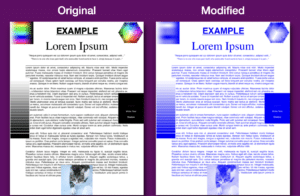
- Gray or dirty scans? Clean scanned backgrounds with PrintLight, then review that all needed text and graphics remain legible.
- Need page numbers? Number the PDF pages before ordering copies.
Which documents should you avoid uploading?
Do not upload government IDs, medical records, Social Security numbers, bank or card details, passwords, or documents requiring notarization or a formal chain of custody. HardCopy says uploaded PDFs are deleted within seven days, or sooner on request. Review the service’s file-handling and privacy information before uploading.
Ready to get it on paper?
Choose your document, check the printing and delivery options, and review the total. Open HardCopy to print and deliver your PDF.